









As Outlook Express was used your user for email sharing, reading, and storage which is no longer in use anymore, and even Microsoft has officially stopped upgrading the email client, which has left it with outdated features and security, as Outlook Express is also not compatible with latest Windows which makes it hard to set up and use, that why now everyone has shifted to upgraded email client like Microsoft Outlook and more and that where the need to migrate the Outlook Express DBX file to PST conversion arises as migrating Outlook Express to PST will help you enhanced access and compatible with latest version of windows. But migrating DBX files is not that simple, and there are many problems that you might face throughout and after the migration. If you are one of those who are facing these issues or want to migrate your DBX file to PST trouble-free free then you should read this article, as here I have mentioned all the common problems you might face during the export process and how, by taking some precautions, you can solve them and complete the process safely without any data corruption or compatibility issue. So let's get started without wasting any time.
Common Problems While Moving Outlook Express Emails to Outlook PST
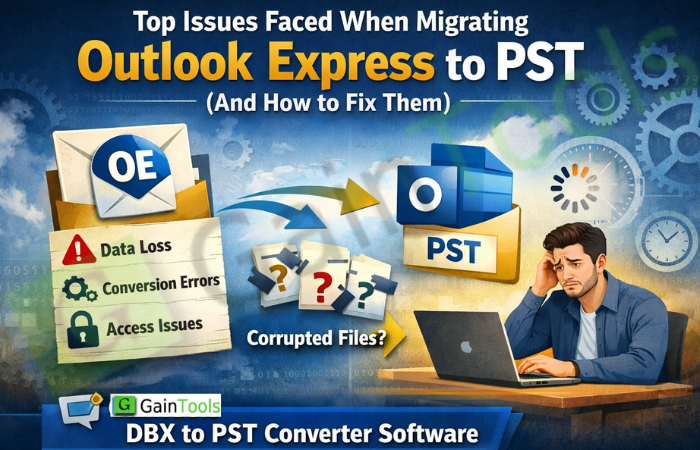
- Lost data – Migrating items move from one version of email software to another; there's a possibility that emails or attachments can become lost during this transition.
- File corruption – When exporting older versions of email clients, such as Outlook Express, users often encounter corrupted files or data loss.
- Missing folders – there is a possibility that you could lose your email folder throughout the migration process from Outlook Express to Outlook PST.
- Problems with contacts – During the export from DBX to PST, you might face some issues or delays with the contacts stored in your DBX files, or they might not get transferred fully.
- Formatting mistakes – When emails are migrated, many times their formatting, date, and sender information are incorrect, as the process sometimes modifies the data and formatting.
- Compatibility issues – As in the current scenario, Outlook Express is no longer supported in newer versions of Microsoft Windows, and you might face compatibility issues with it.
Ways to Fix the Trouble while Exporting Outlook Express to Outlook PST format
There are many ways to move your Outlook DBX file to Outlook PST, but there are not many ways to solve the issues that you might face during the migration. All you can do is choose a safe and efficient method that ensures to helps you preserve your data, file format, and attachments. But you can secure your original file data and attachments through some precautions that you should take before processing through the manual migration approach, as these approaches don't provide secure export and are prone to human risks, but with some precautions, you can secure your emails and data.
- Always back up your Outlook Express file before the migration process, and make sure you have an extra copy in case you suffer file corruption.
- After the migration is done, examine and ensure that all your folders and attachments are present in the emails, and nothing is missing.
- Make sure that you have enough free disk space according to your DBX files to avoid interruption during transformation.
- And the ideal solution is using an automatic migration tool, which will help you ensure a quick and secure migration of the files without any complex steps.
Use a Professional Approach to Get Rid of the Issue You Are Facing While Migrating DBX to PST
A professional approach is the perfect method for migrating Outlook Express to PST without facing any issues like missing folders, data loss, or formatting loss. The GainTools DBX to PST Converter is an expert-tested tool and all the process is done automatically, which helps you make sure that all your data is safely migrated for enhanced Windows compatibility and data security with lots of advanced features such as;
- Quick and direct migration of the Outlook Express file to the Outlook PST file.
- Works well with all the latest versions of the Windows Operating System.
- Supports all versions of Outlook Express DBX files hassle-free.
- It comes with no file size limitations and can handle large files seamlessly.
- Preserves folder structure, metadata, emails and attachments of the original file without any corruption.
- Delivers accurate results that you can achieve your desired location for better access.
- Display a preview of the uploaded file before migrating the files to PST format.
- You can try the demo version of this tool, that is absolutely free of charge.
Steps to use the Migration Tool
You can follow these easy steps to move your DBX files to the PST file format for enhanced Windows compatibility and security without installing any extra software:
- Download and launch the software on your computer.
- Browse the file that you want to convert and the tool will process it.
- Examine the preview of the uploaded document.
- Select the PST file format to access your DBX file in Outlook.
- Mention your desired location where you want to store your Output file.
- Finally, hit the Convert Now button and the conversion will be done in a few minutes.
Conclusion
To summarize, migrating Outlook Express DBX files into PST files has become increasingly important in modern society, as the process comes with potential risks such as data loss, corruption, compatibility issues, etc. Although some manual methods can be possible, they generally involve many steps and considerable amounts of time and energy to perform correctly. Therefore, by utilizing a quality outside tool designed specifically to perform this type of conversion, you can expect to have an easier experience while protecting the integrity of all email messages, folders, and attachments through direct access to the Outlook Express application for complete compatibility with newer versions of Windows and Microsoft Outlook. In addition, the functionality available with the conversion tool has advanced features, such as a demo version of the software, allowing you to experience the conversion before investing in the license version.
FAQs
Q1. Is it a beginner-friendly tool, or do I need technical skills to use it?
Yes, it's a beginner-friendly tool that is designed with a modern and simple GUI, which is easy to handle and understand. You don't need any technical skills to run this software.
Q2. Do in need to install Outlook Express on my PC for this software?
No, you don't need to install Outlook Express or any other app on your computer, as it's a completely standalone utility that will work well on its own.
Q3. Does this app work on Windows 11, or does it only support the older versions?
Yes, this application works on all the latest versions of Windows and fully supports Windows 11.






0 Comments